The right table. One click away.
Choose the table to show from the controls on that very table. Switch the capture in OBS or Streamlabs without searching for windows or changing scenes.
Pick the table on stream with one click, play sounds and show your live tournament grid and final table prizes.
All included in Órbita and Órbita Stream.
For Windows · 72-hour trial · No card required
STREAMING · INCLUDED IN BOTH
These functions are included in both programs. I chose the original Órbita to add tables organization and session registration, or Stream if you are looking for an application focused on streaming.
Choose the table to show from the controls on that very table. Switch the capture in OBS or Streamlabs without searching for windows or changing scenes.
Play sounds from the soundboard or with keyboard shortcuts. Organize your library, adjust the volume and add your own audio.
Show your schedule and the tournaments you are playing. Update statuses and payouts so your audience can follow your session.
Enter final table payouts, update the remaining players and show the guaranteed prize. Supports regular and KO tournaments.
Choose two to six tables, highlight one as the main one and keep the others as thumbnails. Change tables without redoing your scene design.
With the OBS replay buffer, I chose how much to save and the reaction time. Organize screenshots and videos with notes, tags and filters. In Streamlabs, import the saved videos manually.
ÓRBITA ORIGINAL
Prepare your space before playing.
Maintain order during the session.
Come back to what's important later.
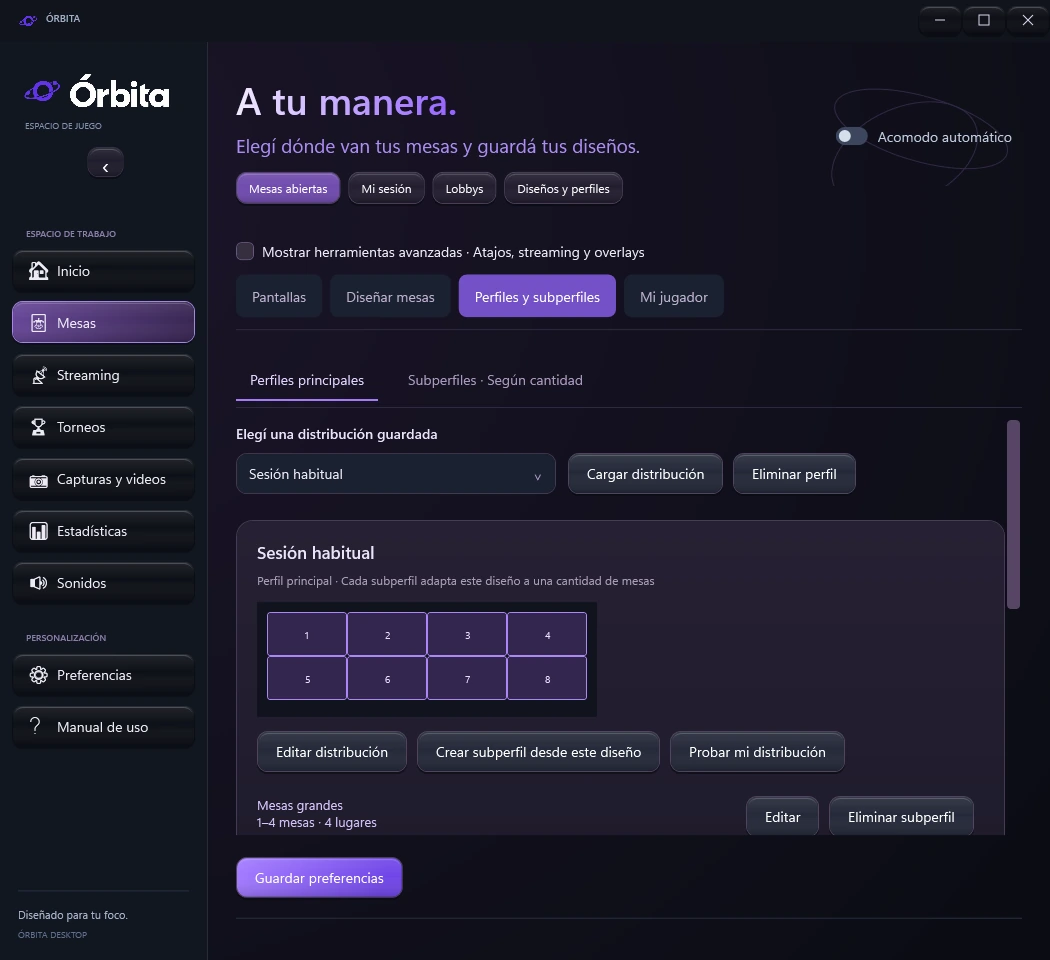
Set positions, sizes and priorities. Save profiles, create variations and organize tables and lobbies across multiple monitors.
Get to know this function ↗More possibilities in your routine
ORBIT IN YOUR TRANSMISSIONS
Streamers that already use Órbita.
Visit their channels and follow them on Twitch and YouTube.
YOUR SPACE IS WAITING FOR YOU
Download your tool and start preparing your space.
Your favorite poker rooms. Now in your orbit.












The available functions depend on the client, its version and the format.